
Download Tibi – health tracker, fitness app, weight loss, diet planner, calorie counter, wellness app, fitness tracker, healthy living, fitness goals, health tips
Overview
Tibi is a health and fitness application developed by NUBISOFT LLC, designed for Android users seeking a structured approach to personal wellness. The app aims to support individuals in maintaining a healthy lifestyle by integrating key health tracking functionalities such as weight monitoring, dietary management, and goal setting. It is particularly suited for users focused on weight loss, calorie control, and adopting sustainable fitness habits.
By allowing users to set personalized weight goals and track their progress over time, Tibi provides a framework for consistent health improvement. The app includes a comprehensive food database, enabling users to log meals and monitor daily calorie intake, which supports informed dietary decisions. Additionally, Tibi offers access to health-related articles and practical tips to promote long-term wellness.
While specific use cases are not detailed, the app’s features suggest utility for individuals managing personal fitness journeys, those beginning a weight loss plan, or users aiming to improve daily nutrition habits. The developer did not provide additional information about the company’s background or broader product offerings.
Key Features & Capabilities
- Weight Tracking and Goal Setting: Users can input their current weight and set specific weight loss or maintenance goals. The app monitors changes over time, providing visual progress indicators to help users stay motivated.
- Diet and Calorie Management: A built-in food database allows users to log meals and track daily caloric intake. This feature supports users in aligning their consumption with their health objectives.
- Personalized Health Recommendations: Based on user input and progress, Tibi offers tailored suggestions for improving diet and fitness routines, promoting a customized approach to wellness.
- Health Tips and Educational Content: The app includes a library of articles and tips covering various aspects of health, such as nutrition, exercise, and mental well-being, designed to educate and inspire users.
- Progress Visualization: Users can view their weight trends and dietary patterns through charts and graphs, helping them identify habits and make data-driven adjustments.
These features are intended to support users in creating and maintaining healthy routines. For example, someone aiming to lose 10 pounds can set a goal, log meals daily, and review weekly reports to assess their progress. The integration of educational content helps users understand the impact of their choices, fostering long-term behavioral change. The app’s functionality appears focused on self-guided wellness, making it suitable for independent users without the need for professional coaching.
User Interface, Workflow & Performance
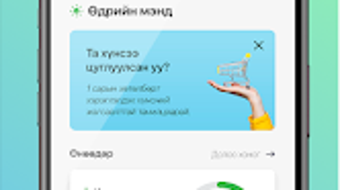
The user interface of Tibi is designed to be intuitive and accessible, aligning with standard Android app design principles. Navigation appears to be straightforward, with core functions such as logging meals, viewing progress, and accessing health tips likely organized within a menu or dashboard. The workflow is structured around daily or weekly health management, allowing users to quickly input data and review insights.
Based on general software behavior patterns, the app is expected to operate smoothly on modern Android devices, though exact performance details were not specified. The developer did not provide information on CPU or RAM usage, so actual resource consumption remains unknown. Stability and responsiveness are assumed to be consistent with typical mobile applications in the health and fitness category.
No reports of crashes or lag were mentioned in the provided data. The app’s design prioritizes clarity and ease of use, minimizing user friction during data entry and review. Overall, the interface supports efficient daily engagement, which is essential for sustained health tracking.
Compatibility & System Requirements
Tibi is available for Android devices and was released in version 1.0. The app has a file size of 45 MB, indicating a lightweight installation that should not significantly impact storage space. The supported operating system is Android, though specific version requirements were not listed.
This suggests compatibility with a broad range of Android devices, including both older and newer models. However, exact system requirements were not provided, so users are advised to check compatibility through the official app store. The developer did not specify minimum hardware specifications such as RAM or processor type.
Therefore, users should rely on standard Android compatibility standards when installing the app. Installation is expected to be quick and seamless, consistent with typical mobile application deployment.
Pros and Cons
Pros
- Free to download and use, making it accessible to a wide audience.
- Comprehensive health tracking with weight, diet, and progress monitoring.
- Personalized recommendations based on user input and progress.
- Educational content helps users understand health and fitness principles.
- Lightweight installation size of 45 MB.
Cons
- Exact system requirements and device compatibility details were not specified.
- Limited information about performance under heavy usage or on low-end devices.
- No mention of offline functionality or synchronization features.
- Availability is restricted to Android, limiting cross-platform access.
- Lack of integration with wearable devices or third-party health platforms.
FAQ Section
Is Tibi available for iOS devices?
Tibi is currently designed for Android users. There is no information available about an iOS version or future platform expansion.
Is the app secure and private?
The developer did not provide details about data encryption, privacy policies, or data sharing practices. Users should review the app’s permissions and privacy settings before use.
How often are updates released?
Specific update frequency was not mentioned. Users are encouraged to check the app store for the latest version and improvements.
Can I use Tibi without an internet connection?
Information about offline functionality was not provided. The app may require internet access for certain features, such as syncing data or accessing content.
What type of license does Tibi have?
Tibi is offered as a free application with no indication of a paid version or subscription model. The license type is not specified beyond its free availability.
Final Thoughts
Tibi presents a solid, accessible entry point for Android users committed to improving their health and fitness. With its combination of weight tracking, calorie logging, and educational content, the app supports users in building sustainable habits. Its free pricing model enhances accessibility, while the lightweight design ensures minimal impact on device storage.
Although specific technical details such as performance metrics, compatibility thresholds, and offline capabilities are not available, the app’s structure aligns with common standards in the health and fitness category. It is particularly beneficial for individuals seeking a no-frills, self-guided approach to wellness. For those already invested in Android-based health tracking, Tibi offers a functional toolset without the need for additional costs.
While it may lack advanced integrations or cross-platform support, it delivers core functionality effectively. The absence of detailed system requirements and privacy disclosures remains a consideration, but does not detract from its overall utility. Download Tibi now to begin your journey toward a healthier lifestyle.







